Viewing Pre-Clearance Requests
1. From MyCompliance, click on My Requests and select Pre-Clearance Requests from the drop down menu.
2. Select Show Search to narrow down the list
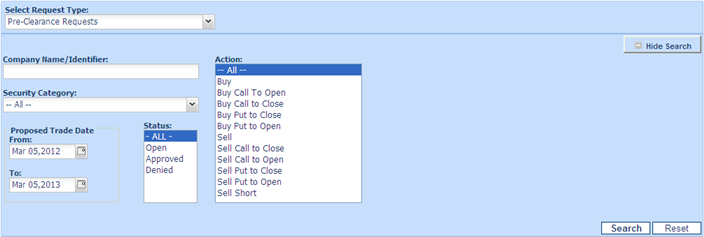
3. Beside the View filters, the following options are displayed:
• All to view all gift given declarations regarding of status.
• Open to view all gift given declarations awaiting approval.
• Approved to view gift given declarations already approved.
• Denied lists those gift given declarations which have been denied.
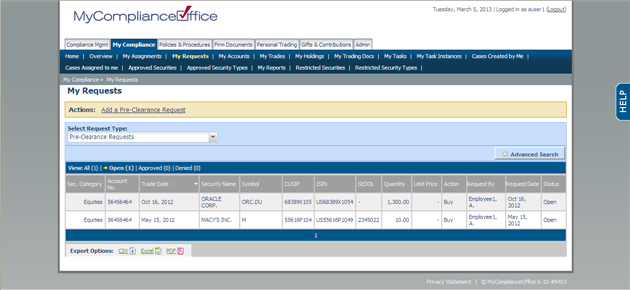
4. Pre-Clearances are sorted by default in order of Trade Date. with the most recent one sorted first. Click any column header to change the default sort:
• Sec Category-To sort by security cateogry
• Account No-To sort by account number
• Trade Date - This will sort by the date the request was entered
• Security Name -To sort by Security Name
• Symbol -sorted by Symbol
• CUSIP-sorted by CUSIP
• ISIN-sorted by ISIN
• SEDOL-sorted by SEDOL
• Quantity - To sort by Quantity
• Limit Price - To sort by Limit Price
• Action - To sort by Action
• Request By-The user in your firm requesting/has submitted the Pre-Clearance Request
• Request Date- The date that the request was submitted
• Status- the Status of the Pre Clearance Request
Created with the Personal Edition of HelpNDoc: Easy to use tool to create HTML Help files and Help web sites