Viewing Political Contributions
1. From MyCompliance, click on My Requests and select Political Contributions from the drop down menu.
2. Select Show Search to narrow down the list
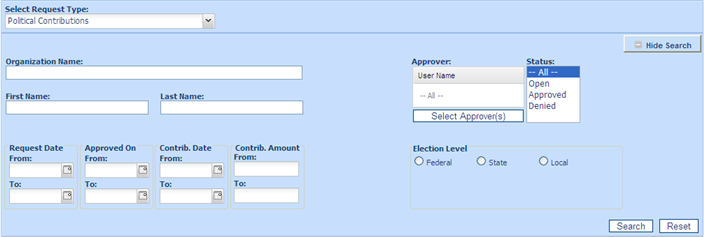
3. Beside the View filters, the following options are displayed:
• All to view all gift given declarations regarding of status.
• Open to view all gift given declarations awaiting approval.
• Approved to view gift given declarations already approved.
• Denied lists those gift given declarations which have been denied.
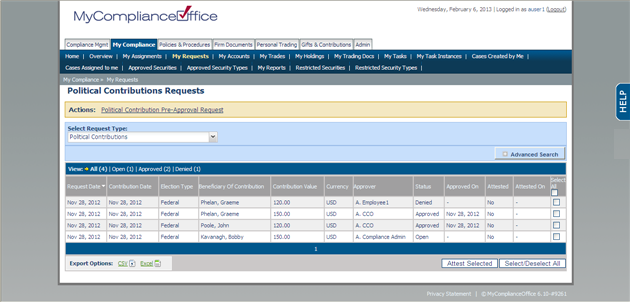
4. Gifts Given are sorted by default in order of Request Date. with the most recent one sorted first. Click any column header to change the default sort:
• Request Date – to sort by the date that the request was submitted.
• Contribution Date - to sort by the date the contribution was made.
• Candidate - to sort by candidate(alphabetically).
• Election Type -to sort by the election type.
• Contribution Value - To sort by the value of the contribution.
• Currency- to sort by currency.
• Approver -the approver of political contribution in the firm.
• Status - the status of the contribution.
• Approved On - the date that the contribution was approved or denied.
Created with the Personal Edition of HelpNDoc: Full-featured Kindle eBooks generator